AMSA

Week 0: Introduction + Exercises workflow

Ferran Aran Domingo
Oriol Agost Batalla
Pablo Fraile Alonso

Before getting started 🫷

  • Visit the subject lab’s website, there you’ll find a link to download a Virtual Machine under the Resources section. It will download a .ova file.
  • We’ll get into what that is and its purpose on this course, but since its quite a large file (~5GB), go on and start the download so we can get hands-on later on today’s session.

Goals for today 🎯

  • Introduce ourselves and the subject lab’s
  • An overview of contents and timeline
  • Setup the environment for the assignments

Introduction 🚀

Hey! We’re Ferran, Pablo & Oriol 👋

  • PhD candidates at UdL
  • Degree + Master in Computer Science
  • We studied here, we teach here… we basically live here
  • You can find us at EPS 3.07

Methodology

We are going to be your teachers during the lab sessions every Wednesday morning.

This sessions are structured in two parts:

Part 1 — Introduction & guidance

  • Explanation of the lab exercise
  • Theory if needed

Part 2 — Hands-on work

  • Time to work directly on the lab
  • Ask us questions whenever you need

Delivery and follow-up of activities

  • There will be a total of 4 activities
  • Each delivery will be submitted through the Virtual Campus (providing a link to your GitHub repo)
  • Evaluation:
    • Done only at the final deadline of the activity
    • We will grade the deliverables of these activities, as well as helping the class to be dynamic and interactive, and to follow your pace.

Timeline

We will follow 4 main practices (PRAC-1 … PRAC-4).

Doubt sessions

We may give you an extra week for final deliveries so we can have doubt sessions. And we may also use sessions before exams for doubts.

Timeline (Weeks 0 → 8)

Week Contents
0 📖 Subject Intro
1 📖 Explain PRAC-1
2 📖 Explain PRAC-2.1 ➝ 📤 Deliver PRAC-1 🏆
3 📖 Explain PRAC-2.2 & PRAC-2.3
4 📖 Explain PRAC-3.1 ➝ 📤 Deliver PRAC-2 🏆
5 📖 Explain PRAC-3.2
6 📤 Deliver PRAC-3 🏆
7 📝 Competencial exam
8 📝 Exams week

Timeline (Weeks 9 → 17)

Week Contents
9 📖 Virtualization & Containers intro, explain PRAC-4.1
10 📖 Explain PRAC-4.2
11 📖 AWS Intro
12 📖 Explain PRAC-4.3
13 📖 Explain PRAC-4.4
13.5 ❓ Doubt session
14 📝 Competencial exam ➝ 📤 Deliver PRAC-4 🏆
15–17 📝 Final exams week

Final score breakdown

Activities → 10%

Graded between the 4 activities.

Exams → 90%

  • First competencial exam (of the deliverables, prior to the exams week) → 25%
  • First theory exam (during the exams week)→ 20%
  • Second competencial exam (of the deliverables, prior to the exams week) → 25%
  • Second theory exam (during the exams week)→ 20%

Important

Exams this year as competencial exams, which will be done a week prior to the exams week. You will do the exam in a classroom, and they will be done with the university’s computers. Activites can be done in groups of two and cannot be retaken.

If you do work in groups, we will require both members of the group to have commited in the repo of the assignment.

We strongly recommend doing them individually.

Warning

While we acknowledge that ChatGPT can be a useful tool, relying on AI to generate the code for the assignments without understanding the underlying concepts will lead to failing the subject, and you will not be able to answer the exam questions.

Content overview 🎓

Main themes

We will explore system administration and application maintenance through hands-on labs, which will cover two main areas:

Systems

  • Boot process & systemd
  • Process management
  • Scheduling & priorities
  • Signals & sessions
  • Memory (SWAP & tmpfs)

Virtualization & Cloud

  • Virtual machines vs containers
  • Docker & OCI images
  • Compose + Postgres
  • AWS basics
  • Serverless: Lambdas & Gateway
  • Databases in the cloud

Weekly flow (0 → 7)


Week Focus Tasks
0 Start & setup VM + GitHub access
1 Booting & systemd journalctl print, service, script
2 Process types /proc exploration
3 Scheduling, priorities and signals Mini-htop
4 SWAP swap manager script + C program
5 TMPFS & benchmarking tmpfs vs ext4 benchmark
6 Wrap-up session Doubts & Exam preparation
7 Competencial exam Time to prove your worth

Weekly flow (9 → 15)


Week Focus Tasks
9 Virtualization vs containers, OCI Images Install Docker/Podman, create Dockerfile + push image
10 Compose + Postgres docker-compose + intro K8s
11 AWS intro services overview
12 Lambdas + Gateway serverless setup
13 PostgreSQL + Doubts configure DB + tables
13.5 Extra doubt session (if needed)
14 Competencial exam Time to prove your worth

Working on the activities 🤓

AMSA-26-27 Github’s Organization

We’re using GitHub Classroom for our assignments. However, Microsoft has decided to kill it…., and we haven’t really had enough time to migrate to a new alternative yet.

So, for now, we’ll be using GitHub in the “normal” way, through a GitHub organization.

For each assignment, you will:

  1. Access the assignment’s public repository and use it as a template to create your own repository.
  2. When creating your repository, make sure to:
    • Create it under the amsa-26-27 organization.
    • Set its visibility to Private, so your classmates cannot see your work.
  3. That’s it! From this point on, you can use the repository just like any other “normal” GitHub repository.

You can find step-by-step instructions, including screenshots, on the Git resources webpage.

Virtual Machine for the Labs

We will provide you with a Virtual Machine (VM) in the form of a .ova file. This file can be imported into VirtualBox.

  • The VM runs Ubuntu 24.04.3 LTS
  • It already includes the required software and configurations prepared by us
  • All activities must be tested on this system, since this is the environment where we will evaluate your work
  • You are free to work on your own Linux system of choice. However, you must perform the final tests on the provided VM to ensure reproducibility

What is a .ova file?

  • .ova stands for Open Virtual Appliance
  • It is a single packaged file that contains everything needed for a VM.
  • By importing it into VirtualBox, you quickly get a ready-to-use VM without needing to install or configure Ubuntu manually

Lab time! 🧪

Download VirtualBox

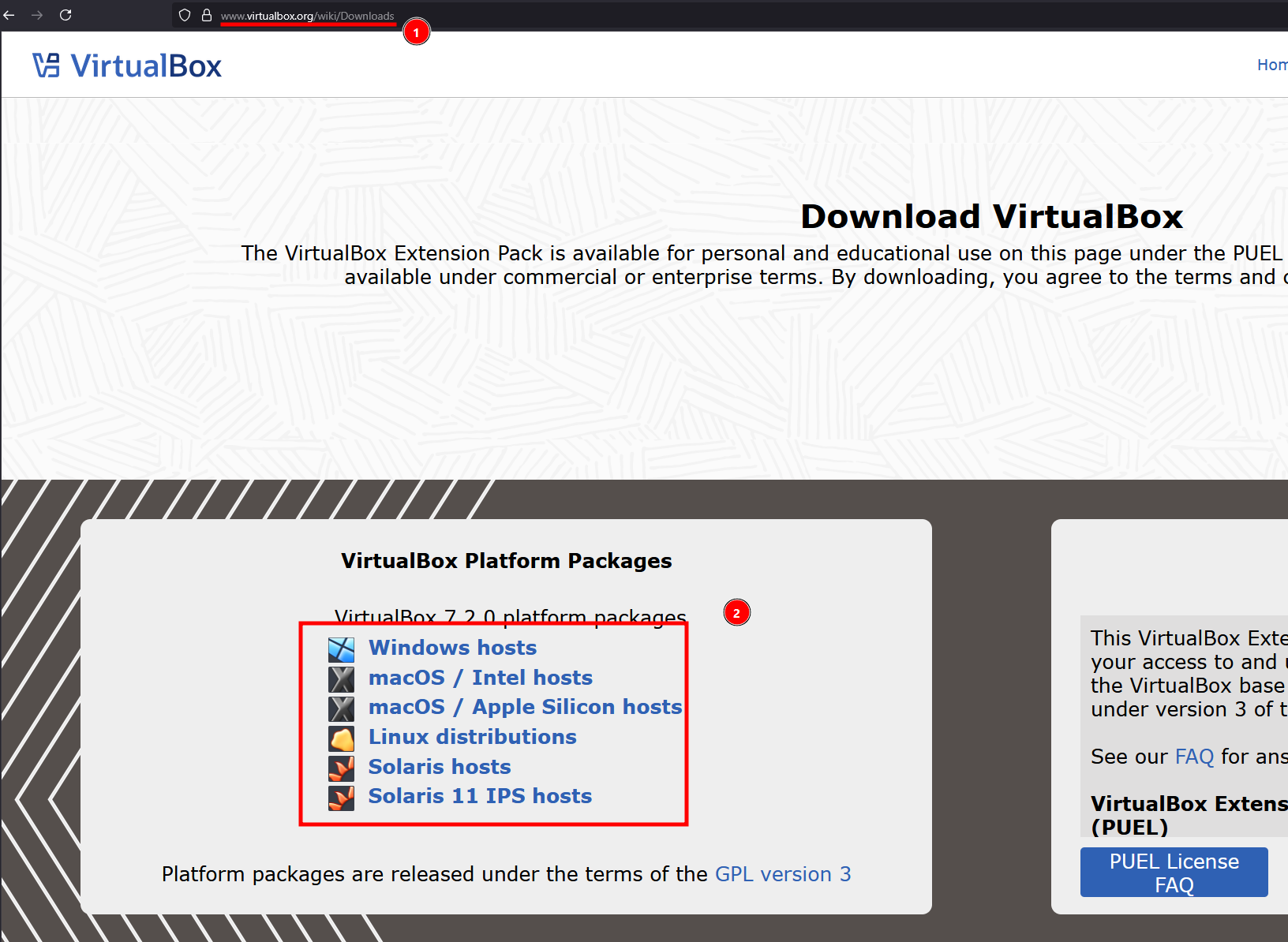
Visit the VirtualBox download website, download the right variant depending on your OS and start the installation.

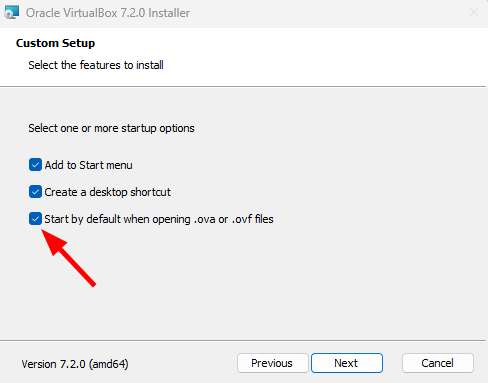
Enable .ova defaults

We recommend keeping this option enabled since it will be easier to import the virtual machine later.

Import the .ova

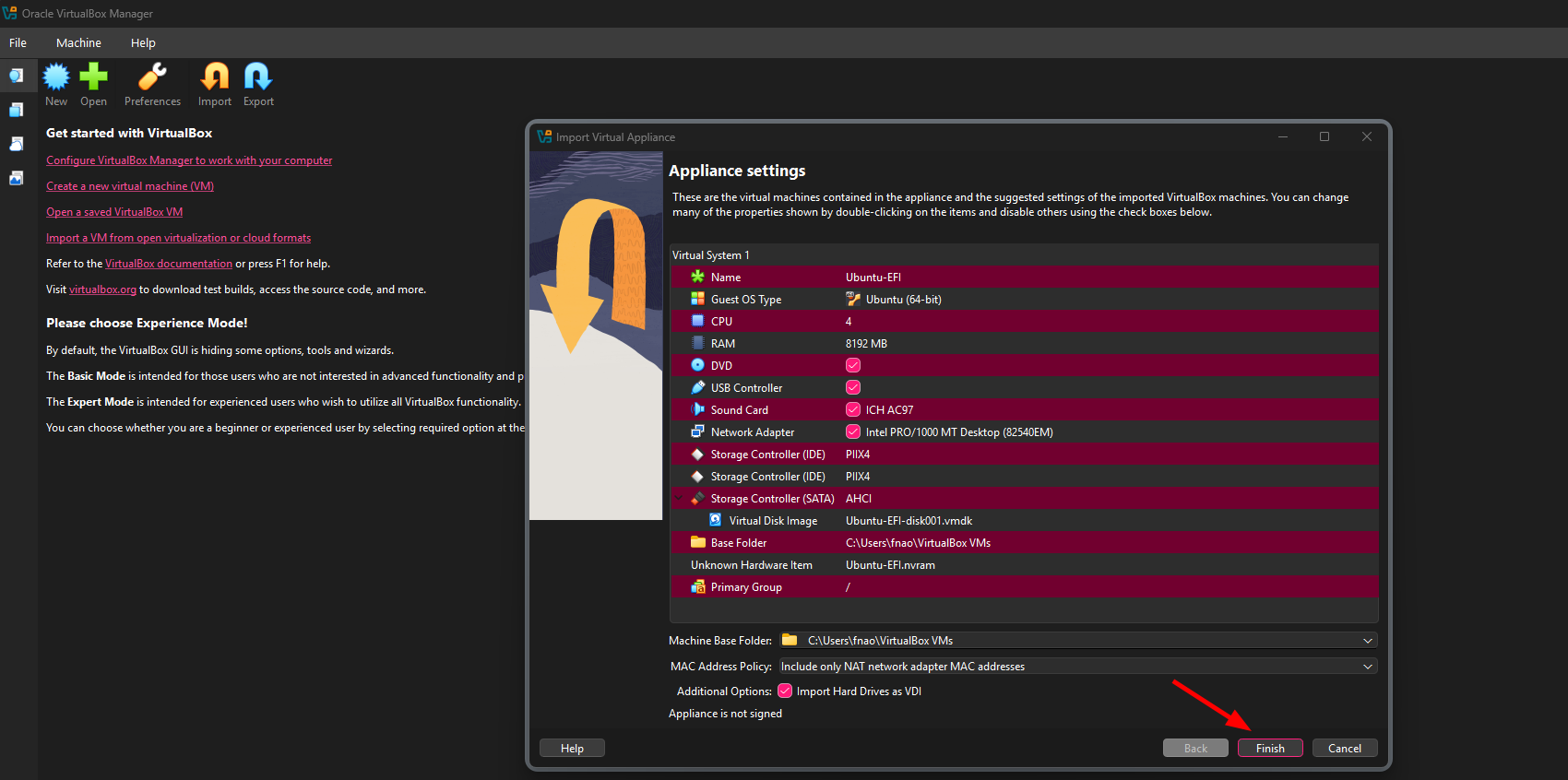
Download the Virtual Machine from the subject’s website if you haven’t already done so. Once the download is finished, double click on the file and a window will appear to import it on VirtualBox. Just click on Finish and wait for the VM to be imported.

Tip

If double clicking on the file did not pop up a window, import it manually from VirtualBox by clicking Import > Choose the file > Next

Launching the machine

Now you should see a new machine on VirtualBox, double-click on it and after it boots up you’ll have an Ubuntu machine up and running where you’ll be able to work on the subject’s activities.

Credentials for the machine

The credentials to login are username: amsa & password: amsa

Connecting to the machine through ssh (optional)

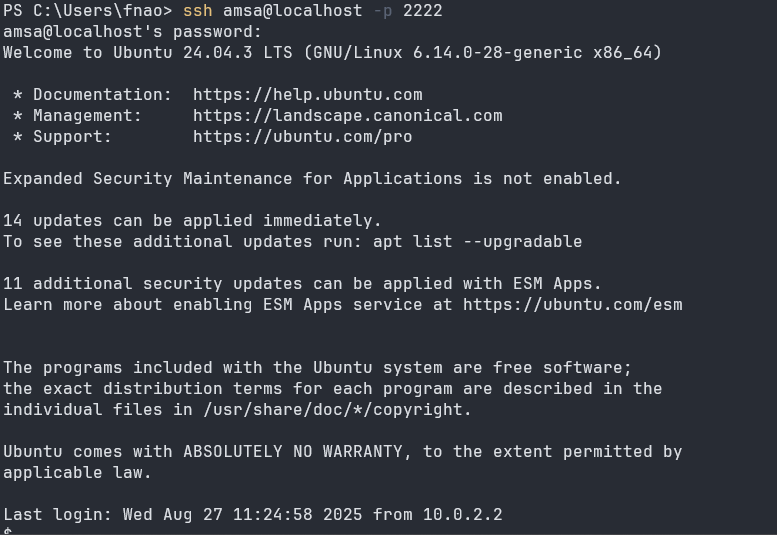
Although the machine comes with a graphical desktop, some of you may prefer to connect to it through SSH and work from your host machine. SSH comes already configured on the machine so it will be as easy as running the command below (remember password is amsa):

ssh amsa@localhost -p 2222

Tip

You may get prompted regarding the authenticity of the host, just type yes and hit enter as shown below.

Create your first assignment project

Simulate that we’re having an assignment called “github_101”. Try to:

  1. Create your own repository within the amsa-26-27 organization.
  2. Add a change to it.
  3. Push it to github.

Be aware that the repository of the “simulated” assignment it’s called github_101, and that you’ve instructions for how to fork, clone, and push a repository on the git guide